
Activation Instructions
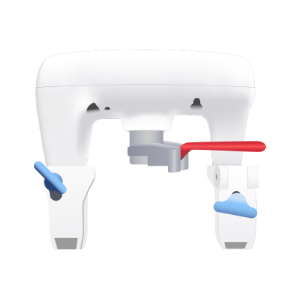
Activate Your Device the Smart Way
1. Download and log in to the Meshify Protect app
Create an account if you haven’t already done so. The device can be installed using the mobile or web application.

2. Scan the QR on the back of the device
When scanned, the Meshify Protect app will initiate the activation process.
3. Follow the on-screen instructions
Meshify Protect app will guide you step by step through the activation process.
3. You’re all set
The device will be up and running in just a few minutes.
Before you start
- Please review the Installation Checklist.
- If you haven’t done so already, please download Protect App on the App Store or Google Play.
- After setting your password, activate your gateway first. The gateway must be activated prior to installation of the Water Shutoff device.
- Follow installation instructions. Do not plug in shutoff device until instructed.
Activation Overview
Watch the video to familiarize yourself with the shutoff device.
Step 1
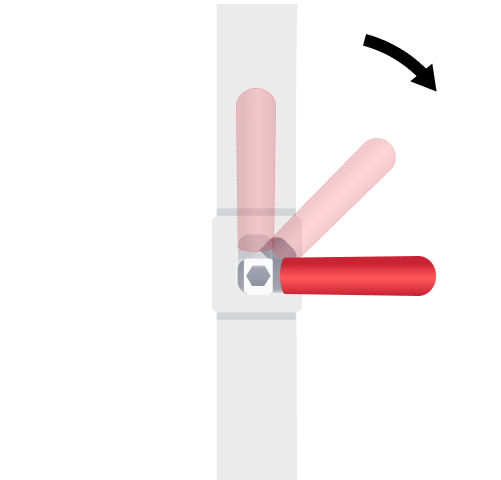
Close valve by turning handle perpendicular to the pipe.
Confirm valve handle nut is securely tightened.
Step 2
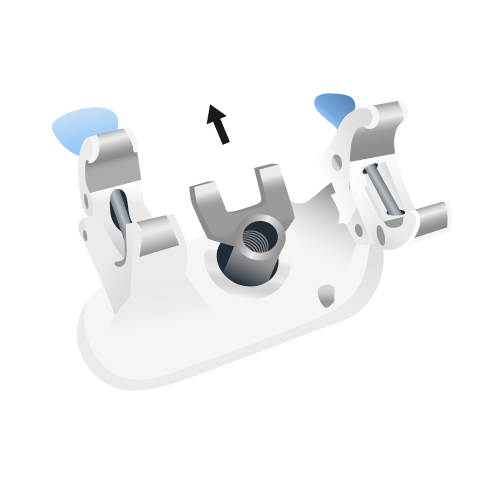
Open device clamps and align transmission fork to face in the same direction as the blue knobs.
Step 3
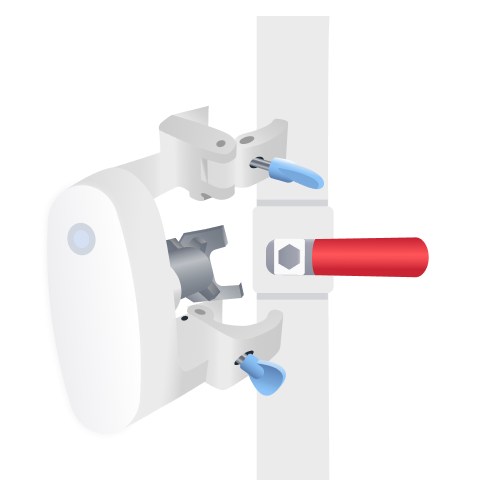
Center transmission fork over the ball valve, so that the handle fits between the prongs of the fork.
Push shutoff firmly onto the valve to seat the device securely around the ball valve and pipe.
The spring-loaded transmission fork will compress. If it does not compress, slightly adjust the transmission fork.
Step 4
Confirm the transmission fork seats properly over the nut securing the valve handle.
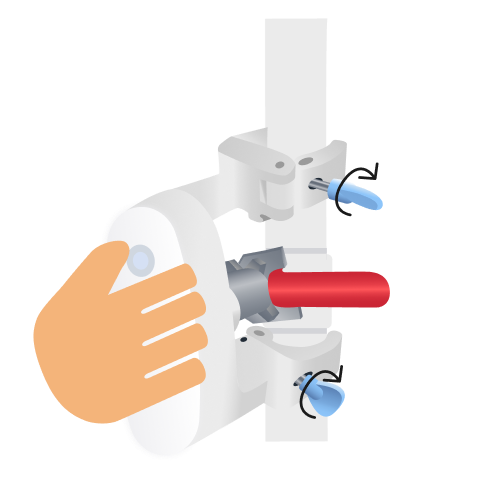
While holding down the device, twist the blue knobs to tighten clamps against the pipe.
Step 5
Look for the auxiliary port on the power cord, and remove the black silicone cover.
Firmly plug leak probe into the auxiliary port on the power cord, and confirm there are no gaps between the connection.
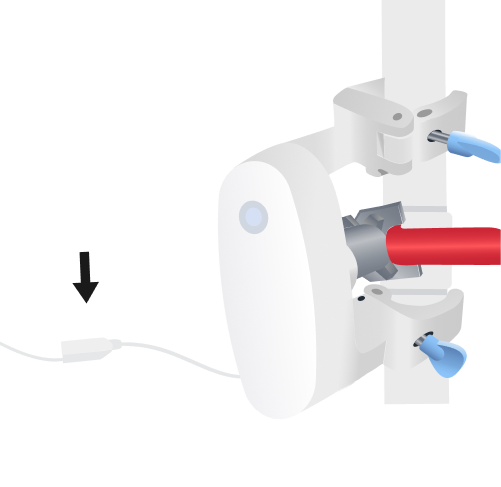
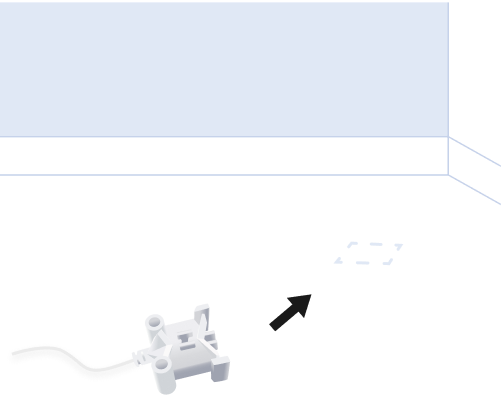
Place leak probe in location where you want to detect water leaks.
Power on and calibrate
Step 7
Connect power socket to DC adapter and plug in to the wall power outlet. Device will power up and auto connect to the gateway. Upon power up, device will emit a double beep. LED will blink green once, then blink yellow while it connects to the gateway. Upon successful connection, LED blinks green twice and pulses red.
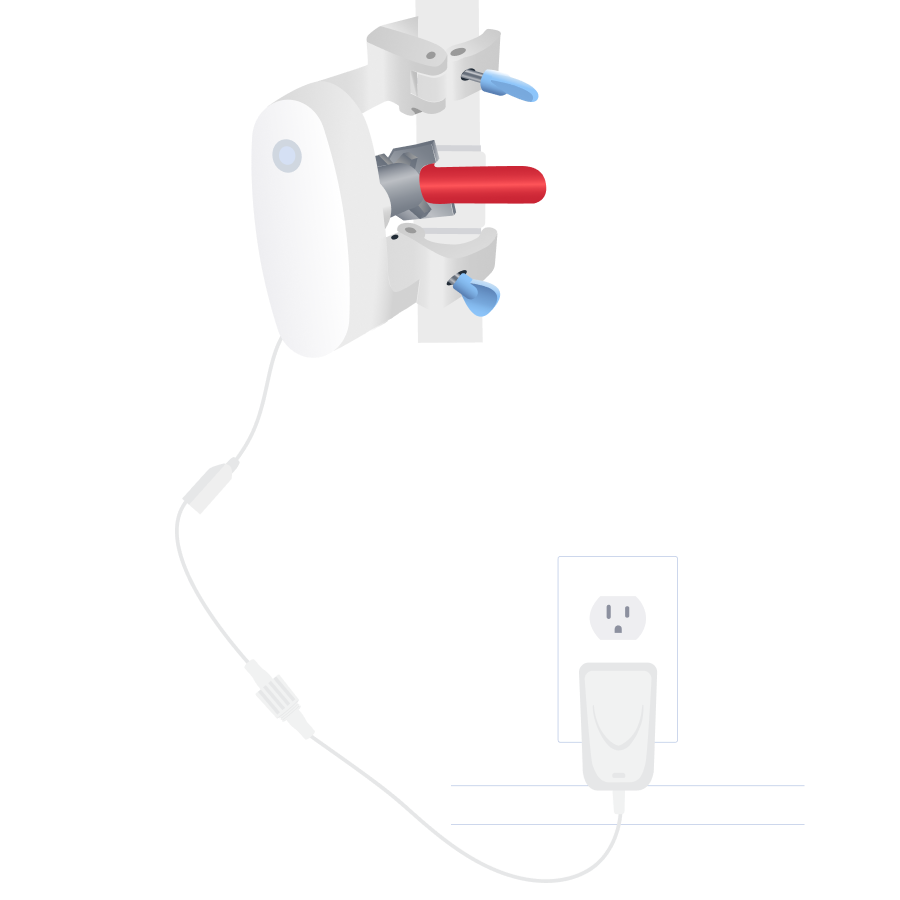
Step 8
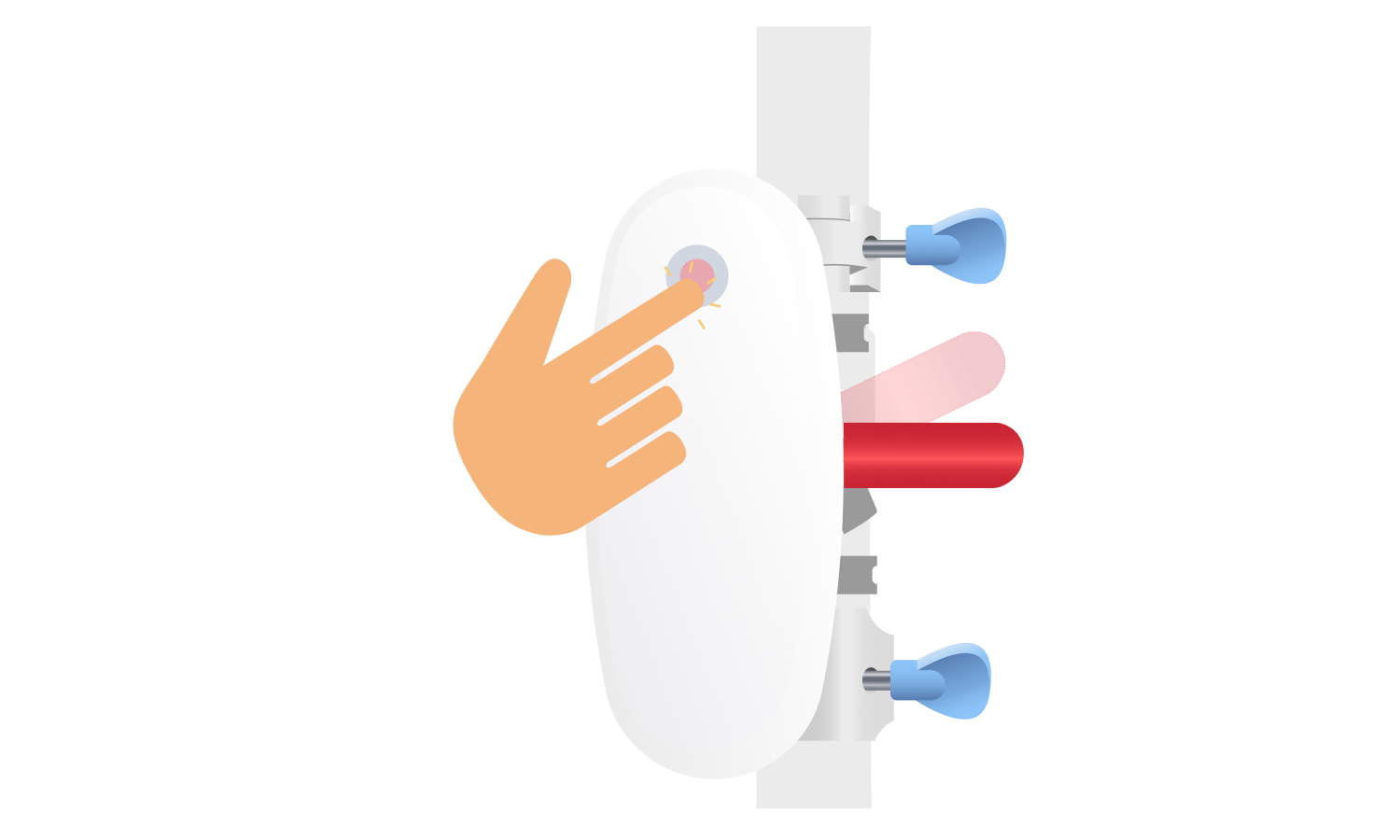
Press LED button once to perform CLOSE calibration.
Device will start emitting beeps while LED alternates between green and red. Device will calibrate by moving the valve handle slightly then return the valve handle to the closed position. Device will emit a double beep upon successful completion and LED will pulse RED.
Step 9
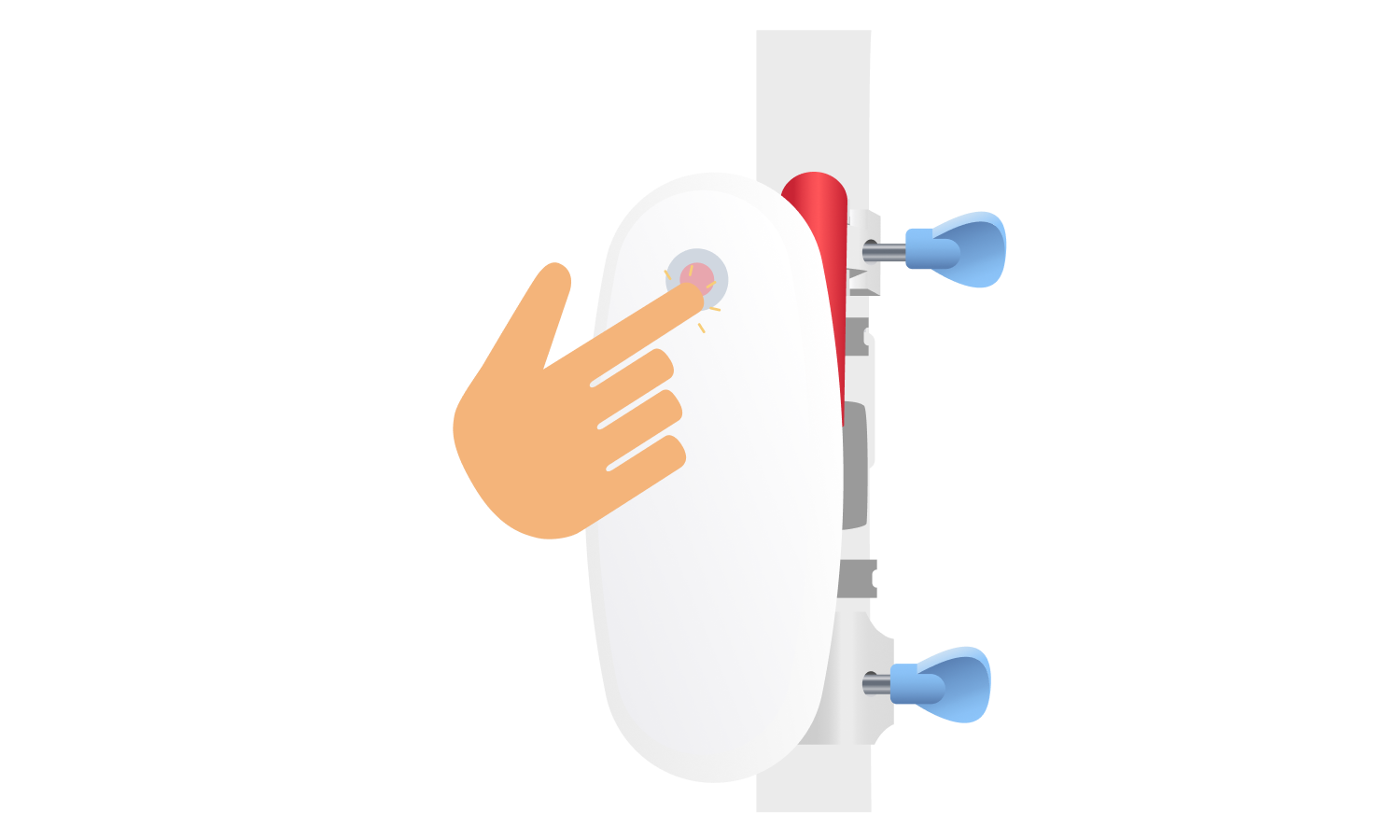
Press LED button again to perform OPEN calibration.
Device will start emitting beeps while LED alternates between green and red. Device will turn the valve handle to open position. Device will emit a double beep upon successful completion and LED will pulse GREEN.
Inspect and confirm tightness of the clamps.
Important: Do not manually turn the water valve handle when the Defender Water Shutoff device is not powered. If you need to manually turn the handle, remove the shutoff device first.
Next steps
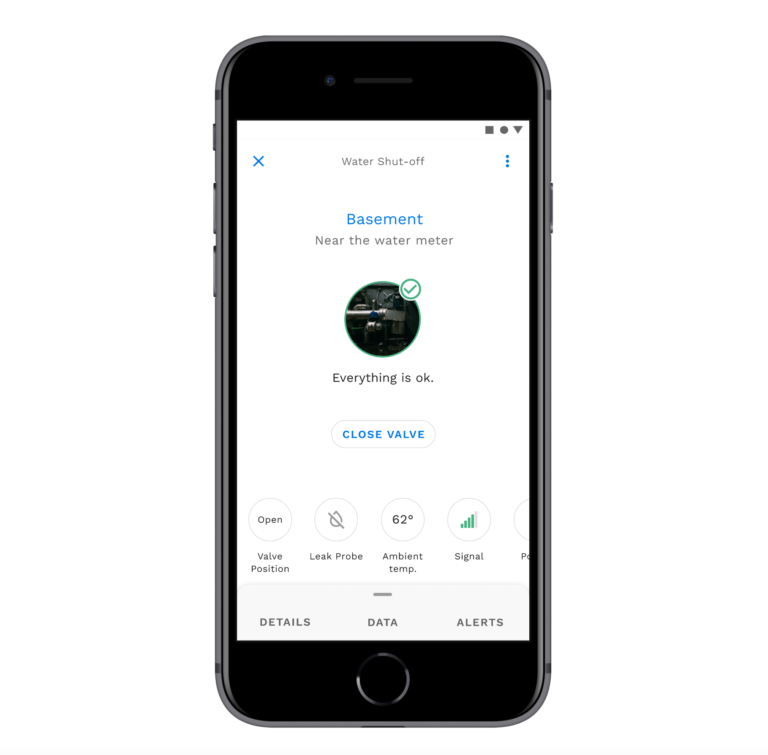
- Finish setup of water shutoff in the Protect app, including confirming device online status, device location, and completion of activation.
- Select the shutoff from your list of devices.
- Test closing and opening the shutoff by pressing the valve function button in the app.
- If you have Defender Sensors, review the instructions and install them next to protect your location.
Still need help?
Contact Sensor Support at (844) 468-1866 or sensorsupport@hsb.com
(Monday–Friday, 8 a.m.–8 p.m. ET), or use our webform below anytime, 24/7.

Meshify is the IoT technology subsidiary of HSB, part of global reinsurer Munich Re.
3500 Jefferson Street #208
Austin, TX 78731
© 2026 Meshify Inc. All Rights Reserved. Privacy Policy